Prerender Lovable Apps: The Cheapest Way to Fix Your SEO
Prerender Lovable apps starting free. Fix SEO issues where crawlers see empty root divs. LovableHTML supports 200+ bots including ChatGPT and Claude.
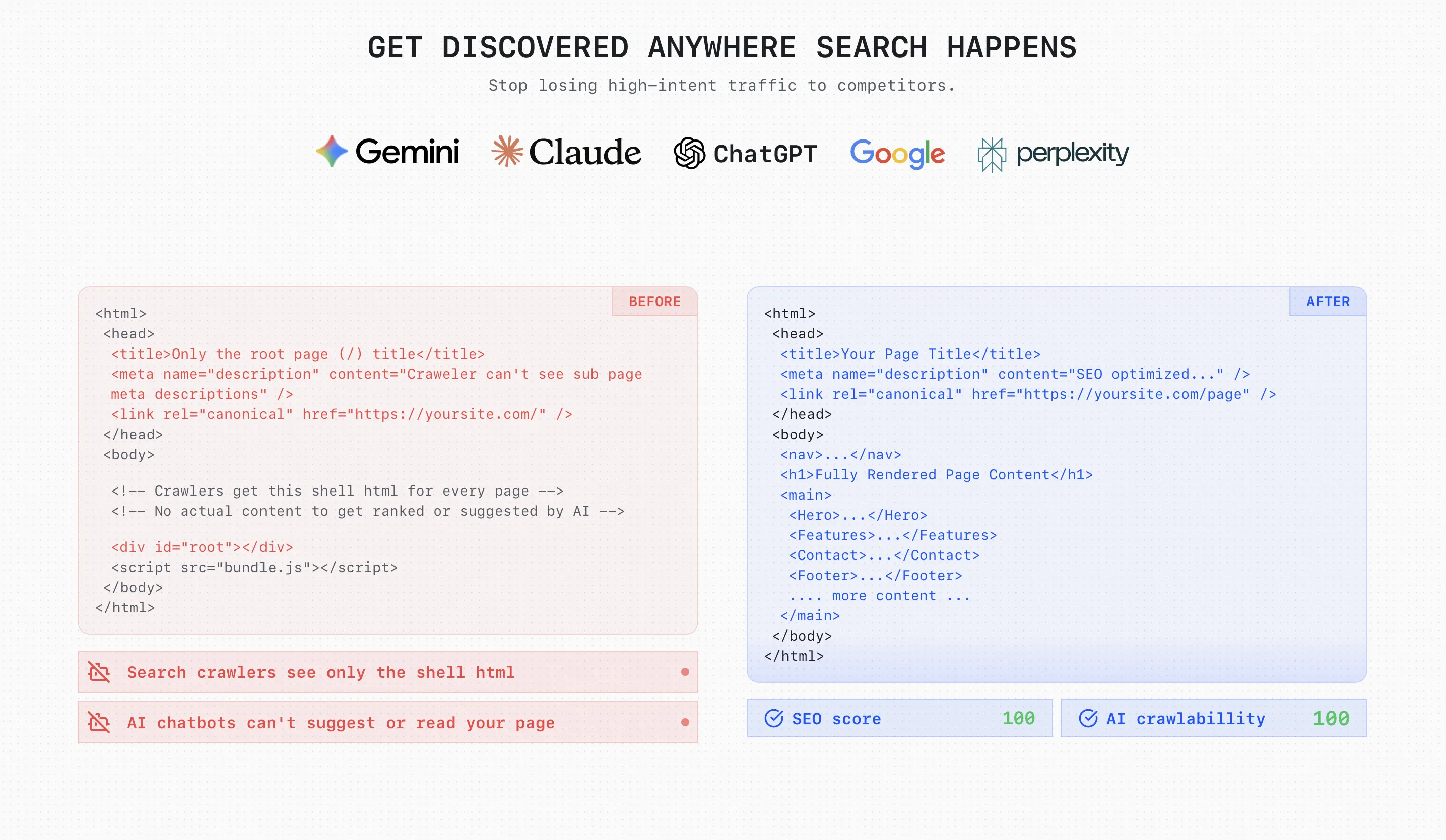
Quick Answer: You can prerender Lovable apps using LovableHTML to fix empty <div id="root"></div> errors that block search engines. Unlike Lovable's built-in snapshots, LovableHTML supports 200+ AI bots and renders dynamic data from Supabase for $0 to start.
Start free if you want to test the setup before committing to a paid plan.
Why does your Lovable app need prerendering?
Every Lovable app is a Single Page Application (SPA). When Googlebot or ChatGPT visits, they see an empty shell because the content has not loaded yet. Prerender Lovable apps by serving fully rendered HTML to bots while keeping the fast SPA experience for real users. Without this, your site will not rank for dynamic content or show social media previews. If you still need to fix the rest of the on-page issues around titles, canonicals, headings, and sitemaps, read Fix Lovable SEO: The Complete 2026 Guide.
Why does built-in Lovable prerendering fail?
Lovable's native prerendering serves static snapshots that often miss dynamic updates and AI crawlers. While it works for basic pages, it fails for:
- Dynamic Data: It ignores content from Supabase or external APIs.
- AI Search: It does not serve snapshots to OAI-SearchBot (ChatGPT) or ClaudeBot. For the broader AI indexing side of the problem, see How to Get Your Pages Indexed by ChatGPT and AI Search.
- Freshness: Snapshots are often stale because they rely on an uncontrollable render budget.
Lovable Prerender Comparison: Outcome vs. Cost
| Solution | AI & Social Ready? | Renders Dynamic Data? | Monthly Cost | Maintenance |
|---|---|---|---|---|
| Lovable Built-in | No | No (Static only) | Expensive (Lost Traffic) | None |
| Prerender.io | Yes | Yes | $49+ (The SEO Tax) | Low |
| Cloudflare API | Yes | Yes | $30 to $50+ | High (DIY) |
| LovableHTML | Yes | Yes | $0 / Pay-as-you-go | Set & Forget |
Why Cloudflare's "Free" Browser API costs $30+ a month
Building a lovable prerender pipeline on Cloudflare requires more than just a $5 Workers plan. To make it production-ready, you have to pay for:
- Browser Rendering API: Usage fees and concurrency limits ($2/browser) scale quickly during deep crawls.
- Data Storage: You need R2 for snapshots and KV for metadata lookups.
- Engineering Time: You must manually update bot User-Agent lists every time a new AI search engine launches.
LovableHTML replaces this entire $30+ stack with a single API key and a free 100-render tier. If you are comparing managed prerendering tools directly, read LovableHTML vs Hado, DataJelly, and other prerender tools.
How to prerender Lovable in 15 minutes
The most efficient setup uses a Cloudflare Worker to detect bots and route them to the LovableHTML API.
1. Get Your API Key
Sign up at LovableHTML. No credit card is required to use the free tier.
Start free and grab your API key before you create the Worker.
2. Deploy the Cloudflare Worker
For most Lovable sites, the common setup is a subdomain such as www.yourdomain.com or app.yourdomain.com pointed at Lovable with a proxied CNAME in Cloudflare. Keep the orange cloud enabled so Cloudflare stays in front of the request.
Open your Cloudflare dashboard, go to Workers & Pages, create a new Hello World Worker, deploy it, then click Edit Code and replace the default code with this:
export default {async fetch(req, env) {if (req.method !== "GET") return fetch(req);const isHtml = (req.headers.get("accept") || "").includes("text/html");if (!isHtml) return fetch(req);const headers = new Headers();headers.set("x-lovablehtml-api-key", env.LOVABLEHTML_API_KEY);headers.set("accept", "text/html");const forward = ["accept-language", "user-agent", "referer"];for (const name of forward) {const v = req.headers.get(name);if (v) headers.set(name, v);}const r = await fetch("https://lovablehtml.com/api/prerender/render?url=" + encodeURIComponent(req.url),{ headers });if (r.status === 304) return fetch(req);return r;}};
3. Configure Routes
Under Variables and Secrets, add a secret named LOVABLEHTML_API_KEY.
Then open your Worker Settings and go to Domains & Routes. Add a route for that hostname such as www.yourdomain.com/*. Set Failure mode to Fail open (proceed), save the settings, and deploy the Worker.
It can take a couple of minutes for the setup to start working after the final deployment.
Frequently Asked Questions (FAQ)
Does LovableHTML work with Supabase?
Yes. LovableHTML executes your JavaScript just like a real browser. This ensures that any data fetched from Supabase or Lovable Cloud is fully rendered before the bot sees it.
Will this slow down my site for users?
No. The Cloudflare Worker only intercepts requests from bots and crawlers. Real human users are passed through directly to your Lovable app without any delay.
How do I clear the cache after a new deploy?
You can use the LovableHTML Invalidation API to instantly purge and prewarm your pages. This ensures that Google always sees the most recent version of your site.
Verify Your Setup
Test your site by simulating a bot in your terminal:
curl -A "Googlebot" -L https://yourdomain.com
If you see your headings and text instead of an empty div, your lovable prerender setup is live.
If you want to skip the DIY Cloudflare setup and try the hosted version first, start free.