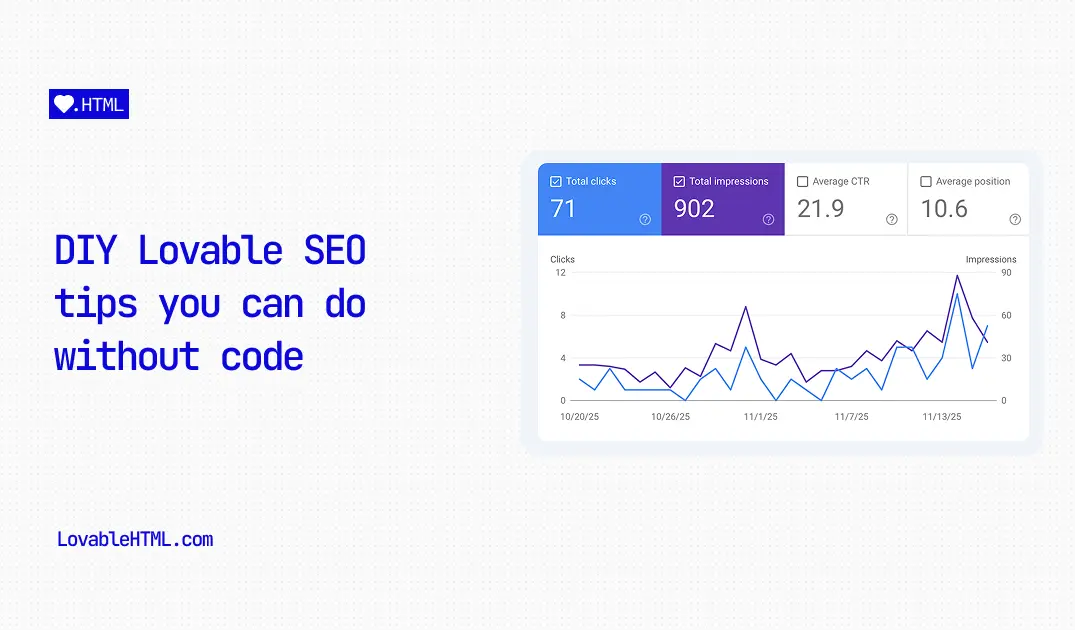
DIY Lovable SEO tips that you can do without code
Learn how to improve your Lovable.dev site's SEO with simple prompts and no-code solutions for meta tags, sitemaps, and more.
We all know by now that Lovable.dev built sites are not great for SEO and crawlability by AI agents.
They are single page applications (SPAs) and do not show the full page content unless it is visited in a browser. Since search engine crawlers and AI agents often don't run JavaScript like a full browser does, they only see an empty shell instead of your beautiful content. If you were are not aware, you read more here about SEO caveats of building on Lovable
While this is an unfixable issue without migrating your site to a framework that supports static site generation (SSG) or server side rendering (SSR), or setting up a no-code pre-rendering services like LovableHTML, there are a few things that you can do to fix some of the fundamentals of technical SEO into a right shape.
Here is a guide on how to fix your meta tags and sitemaps using simple prompts within Lovable.
1. Fix OG image and social previews
Step 1. Set up per page meta tags properly
The first step is to ensure each page has unique titles, descriptions, and Open Graph images. By default, SPAs just show the same metadata for every page, which hurts your ranking potential.
You can fix meta tags, title, description, and OG image by setting up react-helmet-async (or a similar head management library) and setting page-specific content for them.
Drop this into Lovable:
"Create an SEOHead component using react-helmet-async that takes title, description and canonical as props and use that component on every page before the main tag with page specific values".
This prompt instructs Lovable to create a reusable component that manages the <head> of your document, allowing you to pass in unique details for every page.
Step 2. Clean up index.html
Once you have your per-page meta tags set up, you need to make sure they aren't being overwritten or conflicted by static tags in your index.html.
Drop this into Lovable:
"Remove canonical, title, description and site preview related meta tags from index.html so they won’t override per page settings"
Why is this important?
If you don’t remove those meta tags in your index.html, they will always override or duplicate the page-specific ones you just created. This is especially critical for the canonical tag; having conflicting canonicals can confuse search engines about which version of a page is the "master" copy.
Step 3. Turn on Pre-rendering
All social sites fetch preview of a website programmatically, using bots. For the above changes to start taking effect, our pages need to be crawlable. Unfortunately, websites Lovable builds are what are called SPAs - single page applications, meaning it only renders content when visited via browser. To fix that, sign up to LovableHTML and connect your site to the LovableHTML proxy which takes care of the following problems for your site:
- Social previews and OG images not working
- Lack of crawlability by AI agents and Search crawlers
- SEO issues like crawl budget, flaky content and missing internal links
Read more about Lovable's crawlability and SEO problems here
2. Generate large sitemaps reliably
Well, this one is not so much of a prompt but adding a custom script but you can do it with prompting and copy-and-paste and it's an important step so I included it here. You can skip this If you have a small site (fewer than 10 or 15 pages), you can just ask Lovable to generate one for you.
However, if your site is larger, Lovable starts to hallucinate URLs. It might invent pages that don't exist or forget ones that do. In this case, you need a more reliable method.
You should either:
- Use a script to generate the sitemap based on your actual routes.
- Manually check the Lovable-generated sitemap to ensure there are no phantom pages and no missing pages.
For a reliable script-based approach, check out this guide from the community:
Read this guide on how to set up a sitemap script on Lovable
4. Add a robots.txt file
A robots.txt file tells search engine crawlers which pages they can request from your site. It's also the standard place to link to your sitemap.
Drop this into Lovable:
"Create a robots.txt file in the public folder that allows all user agents and points to my sitemap at https://yourdomain.com/sitemap.xml"
This simple file ensures that good bots (like Googlebot) know where to find your content and where your sitemap lives.
5. Word Count Best Practices
When writing content for your pages, keep in mind that search engines prefer comprehensive, high-quality content.
- Aim for depth: Thin content (under 300 words) rarely ranks well. Try to aim for at least 600–800 words for blog posts or core landing pages.
- Quality over quantity: Don't just fluff up the word count. Answer the user's intent clearly and concisely.
- Structure matters: Use headings (H1, H2, H3) to break up text. This helps crawlers understand the hierarchy of your content.
After that, run your pages through our free SEO Audit tool that will help you identify areas you can improve.
6. Hide Lovable Generated URLs from Search
Lovable generates a preview URL for your project (e.g., my-app.lovable.app). Once you connect your custom domain (e.g., www.yoursite.com), you want only your custom domain to show up in search results.
If you don't fix this, Google will also index the lovable.app version of your site, which looks unprofessional and splits your SEO authority.
To fix this, you need to ensure that your sitemap and canonical tags explicitly point to your custom domain.
Drop this into Lovable:
"Update all my sitemap generation logic and canonical tags to use 'https://your-custom-domain.com' as the base URL instead of the lovable.app subdomain. Also check the codebase for any hardcoded references to the lovable.app URL and replace them."
Why is this important?
- Sitemaps: Telling Google your pages exist on
yoursite.comprevents it from discovering them via thelovable.appaddress. - Canonical Tags: Even if Google finds the
lovable.appversion, the canonical tag tells it: "This is a duplicate; the real version is onyoursite.com." - Hardcoded Links: Internal links should not point back to the staging domain.
Important Note: If you submitted your sitemap before with the Lovable-generated domain (e.g.,
my-app.lovable.app/sitemap.xml) to Google Search Console, you need to remove it. Then, generate a new sitemap using your custom domain and resubmit it. This forces Google to crawl and index the correct version of your URLs.
Summary
While these tips won't solve the fundamental issue of client-side rendering (your content text is still hidden from some crawlers), fixing your meta tags and sitemap ensures that:
- Search engines know your pages exist.
- When your link appears in search results or social media, it looks correct with the right title and image.
If you want to go a step further and ensure your actual content is indexable by Google and AI agents, consider using LovableHTML to serve pre-rendered HTML to bots. Trusted by founders, and agencies as their pre-rendering solution, LovableHTML reliably serves over 3 million crawl requests a month. Try free for 3 days